5.1 Creating one
Select a projector that is already aimed where you want it, then open the tool from Tools → Blend array… in the inspector, or the ⊞ in the Blend arrays section header.
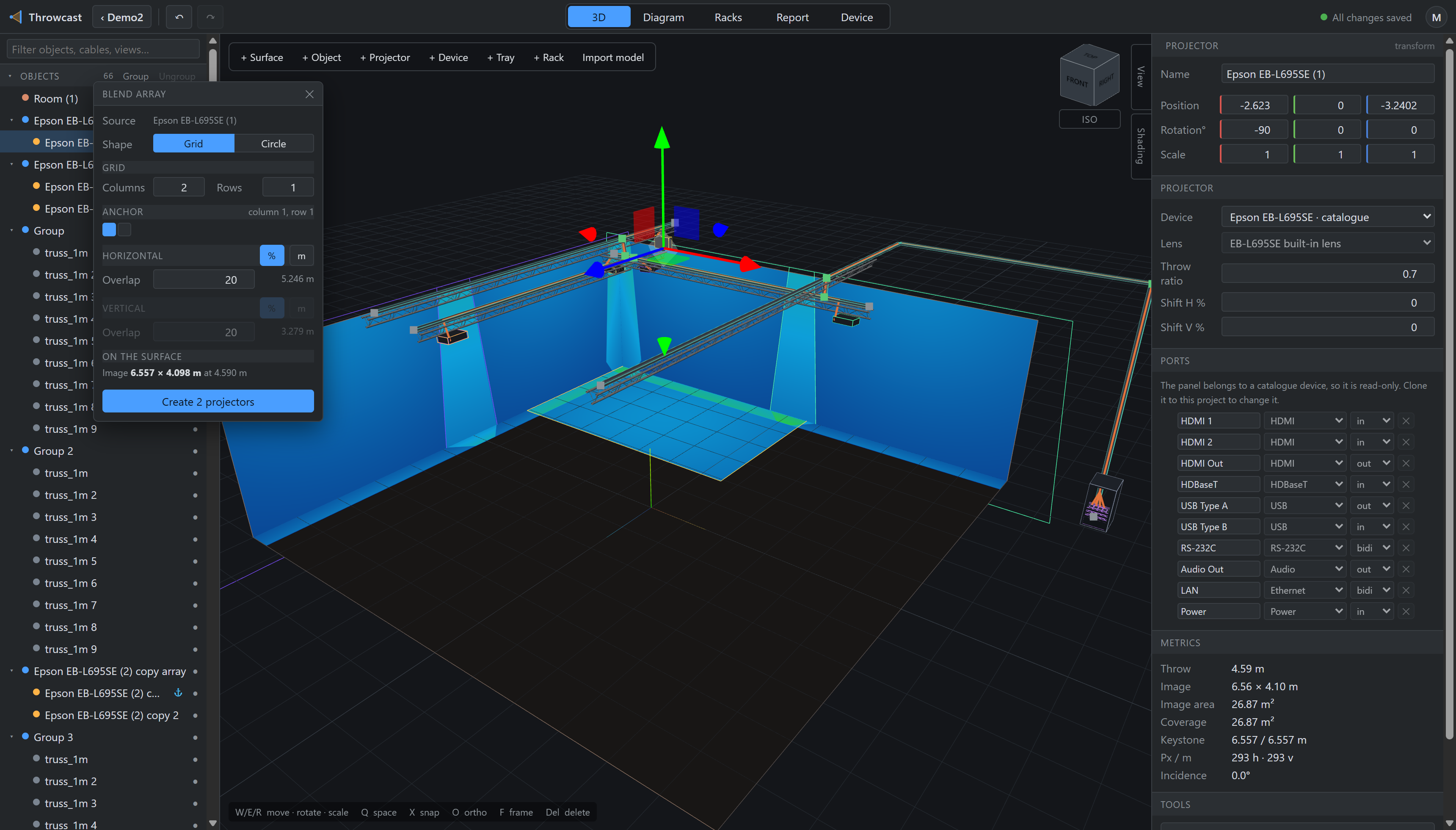
- Source — the projector every cell is a clone of.
- Shape — a grid, or a ring (§5.4). Only before Create.
- Grid — columns across, rows up.
- Anchor — which cell the source machine occupies. It never moves.
- Horizontal — overlap % or step in metres; the other is a live readout.
- Vertical — the same, for rows.
- On the surface — the image the source actually makes, at its real throw.
- Create — builds the rig, in one undo entry.
The panel is a modeless floating window: it can be dragged by its title bar, and keyboard shortcuts keep working while it is open so you can go on nudging projectors underneath it.