7.6 Solving a scheme from vendor data
A machine the catalogue does not carry still has to throw the right picture, and the numbers the app needs are not the numbers a vendor prints. Throwcast wants a throw ratio and an exit point — where in the machine the light appears to come from. A datasheet gives you a table: at this screen size, stand it this far away. A throw calculator gives you the same thing one size at a time.
The projection-scheme wizard converts the second into the first. Open the Device tab, select the projector — or, where the lens comes off, the lens — and in the Mounting section press Solve from vendor data…. It runs in four steps: the machine, the lens’s shape, the scheme itself, and a review.
Vendor data in, one undo entry out. Every number you type lives in the dialog until Apply, which writes the lens and any body edits the first step staged as a single change. One Ctrl+Z takes all of it back off.
Step 1 — the machine. Every distance ahead is measured against a face of this box, and the exit the wizard solves is placed from its lens mount, so the box is asked about first. It is drawn in proportion, with the mount marked and the raised head, on a machine that wears one, standing on the cabinet. The figures are editable here, which matters more than it sounds: a fit solved against the wrong depth lands the apex a body’s length out. A lens welded into a machine is pinned to it; a lens that comes off gets the picker in the figure below, because the same lens on a different chassis is a different fit.
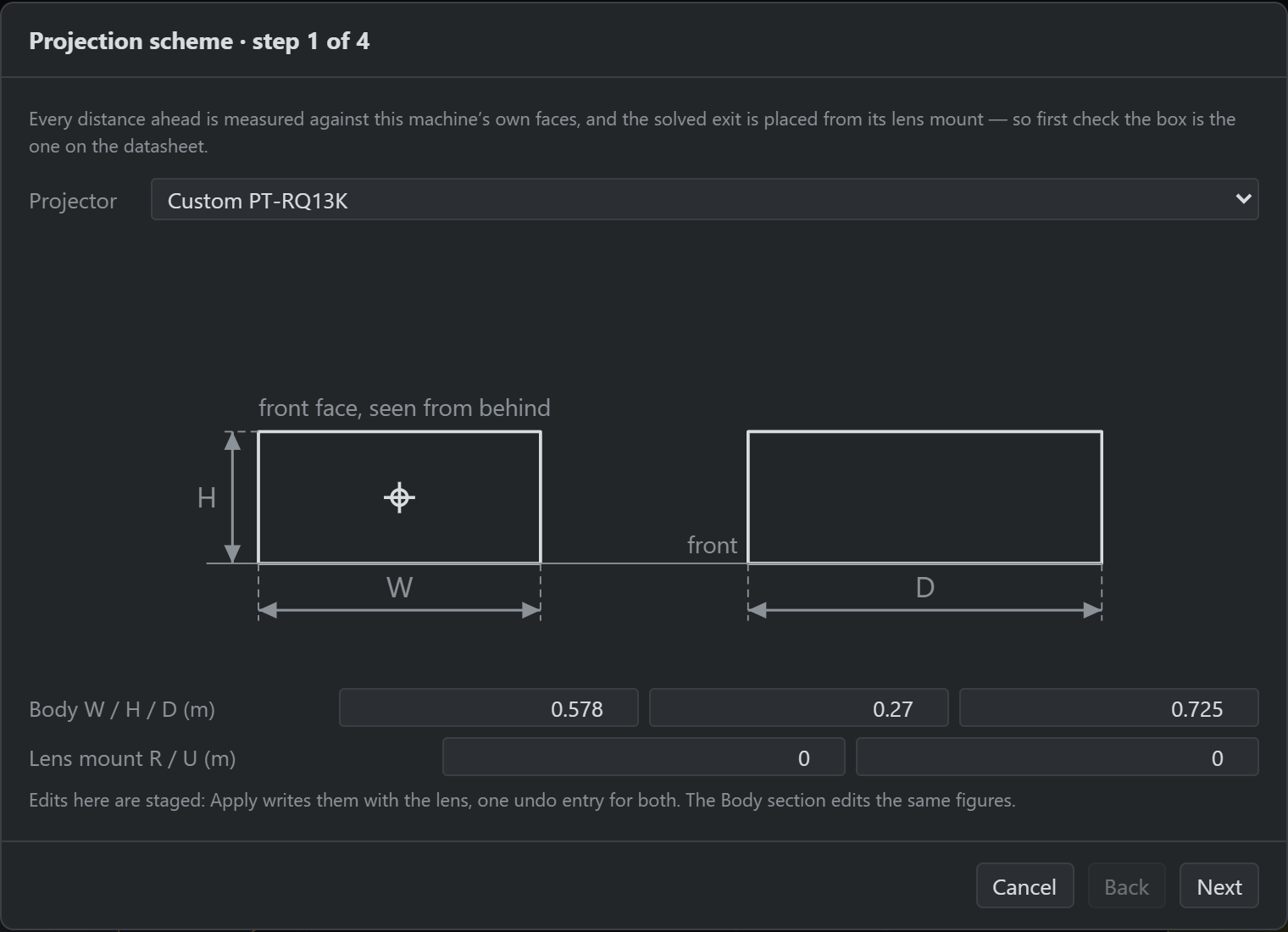
If the host is a catalogue entry its figures are disabled behind Clone for editing, which is the Device tab’s own clone (§7.3) — fresh id, your project, the catalogue untouched. The wizard then follows the clone: the picker, the drawings and the fit all move to it, and cancelling afterwards keeps it, since you can delete it from the library like anything else.
Step 2 — the shape. Four cards, because four shapes cover what a fit can actually solve. The choice sets which way the beam leaves the machine, which face a vendor’s distances are conventionally measured to, and which columns the next step asks for. They are the subject of the next section.