8.3 The 2D diagram
Diagram mode draws the same rig as a schematic.
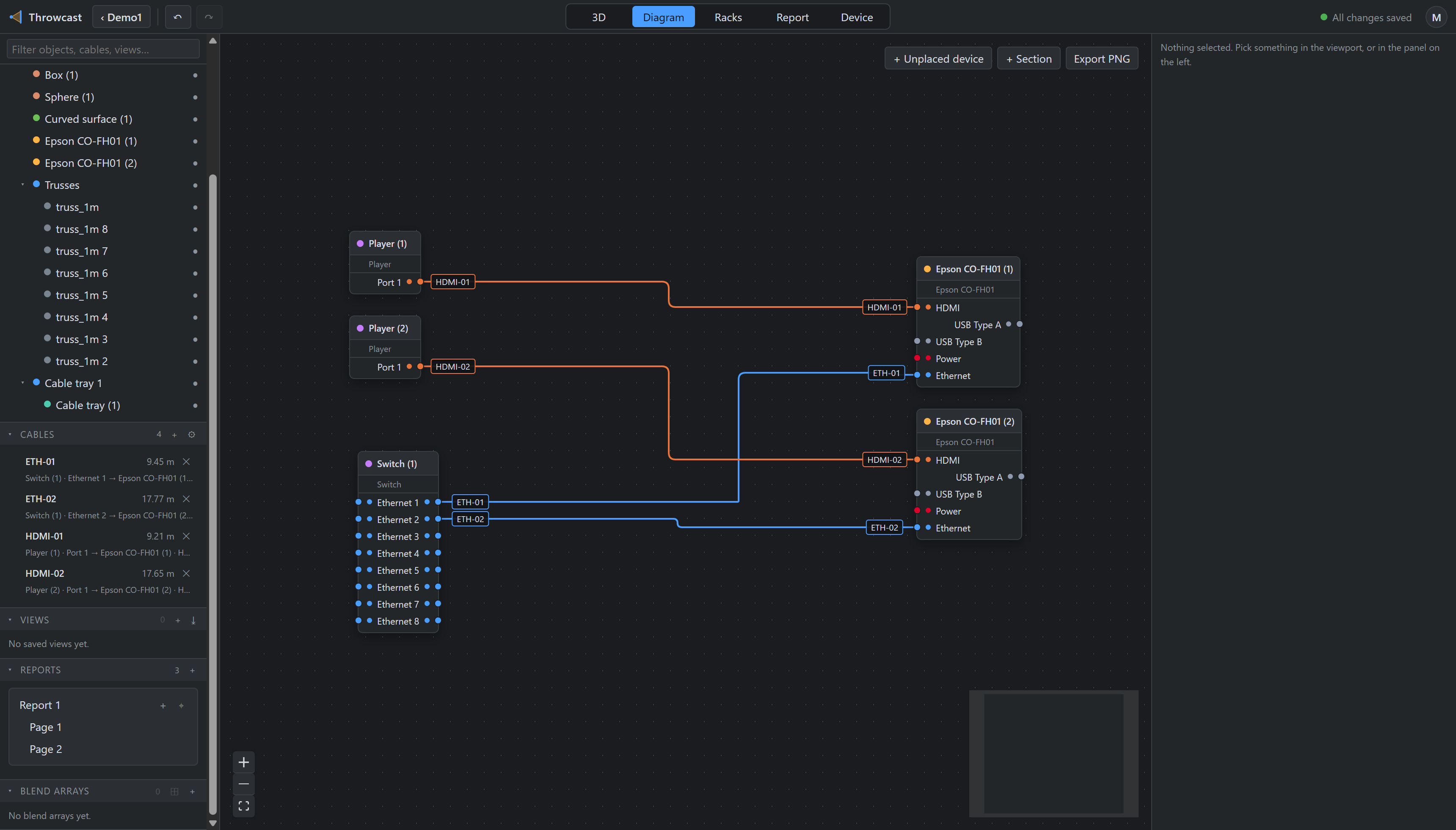
- Drag a port to a port to create a cable.
- Drag an edge’s middle segment to route it by hand; only the interior corners are stored. Double-click a cable to drop that hand-dressing and return to the automatic route.
- Port labels track their side — inputs on the left, outputs on the right. A bidirectional port shows both, and only one cable can occupy it at a time.
- Export PNG writes the diagram out as an image.
Unplaced devices
A device can be marked unplaced: it exists in the signal path but has no position in the venue —
the front-of-house rack nobody modelled. It draws nothing in 3D, and its cables report no length
(the browser shows —), but it is a full participant in the diagram.
Sections
+ Section draws a named frame around part of the diagram. Membership is geometric, never a stored link: whatever node’s centre is inside the frame belongs to it, so devices join and leave simply by being dragged across the border. Dragging the frame moves every member with it, as one undo entry.