3.9 Drawing on a plane
+ Sketch puts a drawing plane in the venue — the same four ways, so a sketch can lie on the floor over a plan or in the face of a wall you are detailing — and goes straight into the editor, because there is nothing to do with an empty sketch except draw on it. Edit sketch… in the inspector re-opens one later.
Three things happen when the editor opens: the camera eases square-on to the plane and switches to orthographic, the projection decoration goes quiet — beams, footprints, labels, cables, the probe — and the drawing tools take the pointer. The venue itself stays exactly where it is, because drawing against it is the point.
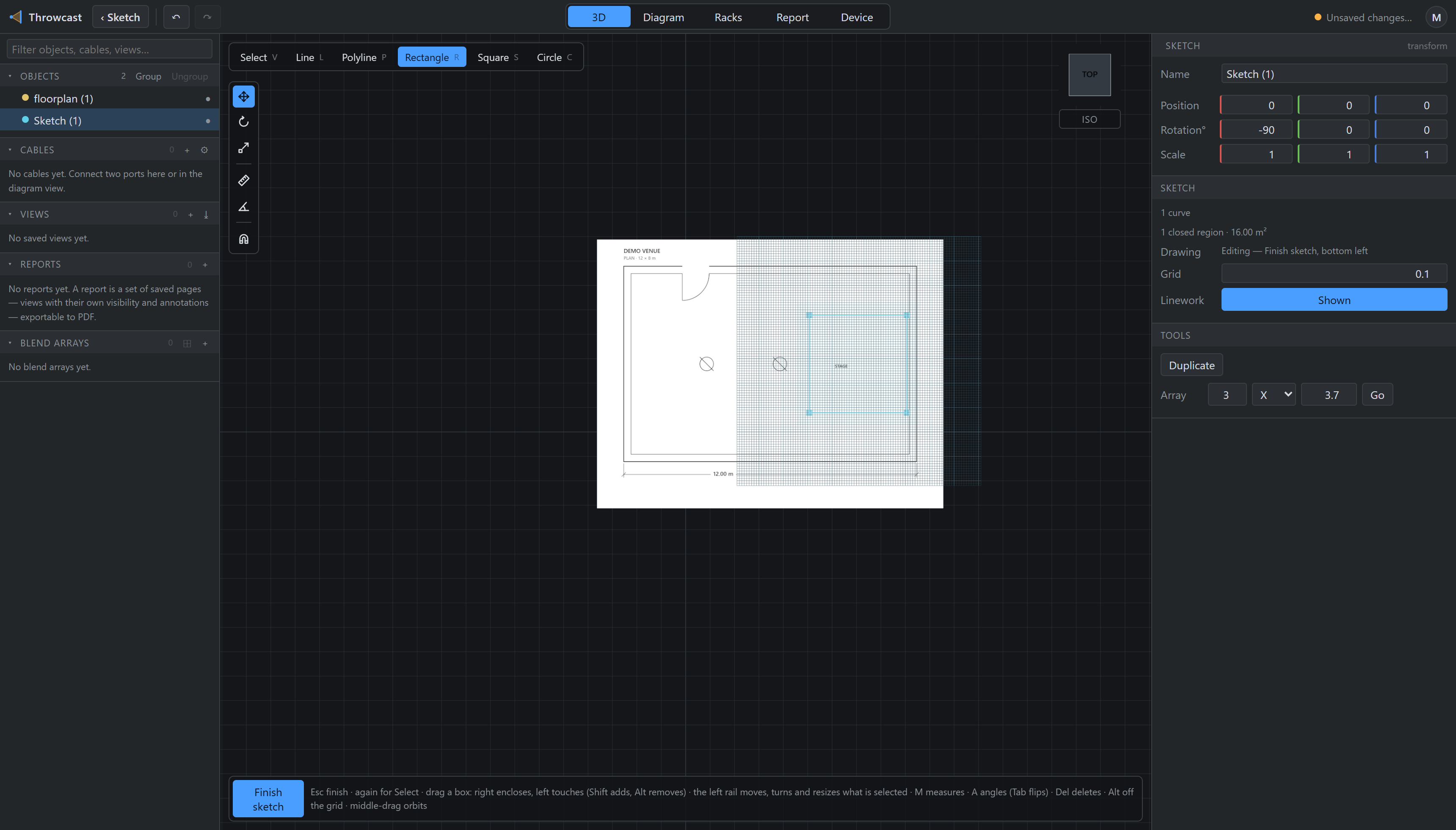
The pen is six tools, one letter each: V select, L line, P polyline, R rectangle, S square, C circle. A line and a polyline mint the same thing and differ only in when they stop. Middle-drag and the wheel still orbit and zoom, so you can look round mid-gesture.
Points snap to an endpoint, a centre, the axes through where the gesture started, then the grid — most specific first, so an endpoint 4 mm away beats a grid line 1 mm away. That order is deliberate: the grid is a convenience, a shared endpoint is what closes a region. Hold Alt to draw off it entirely.
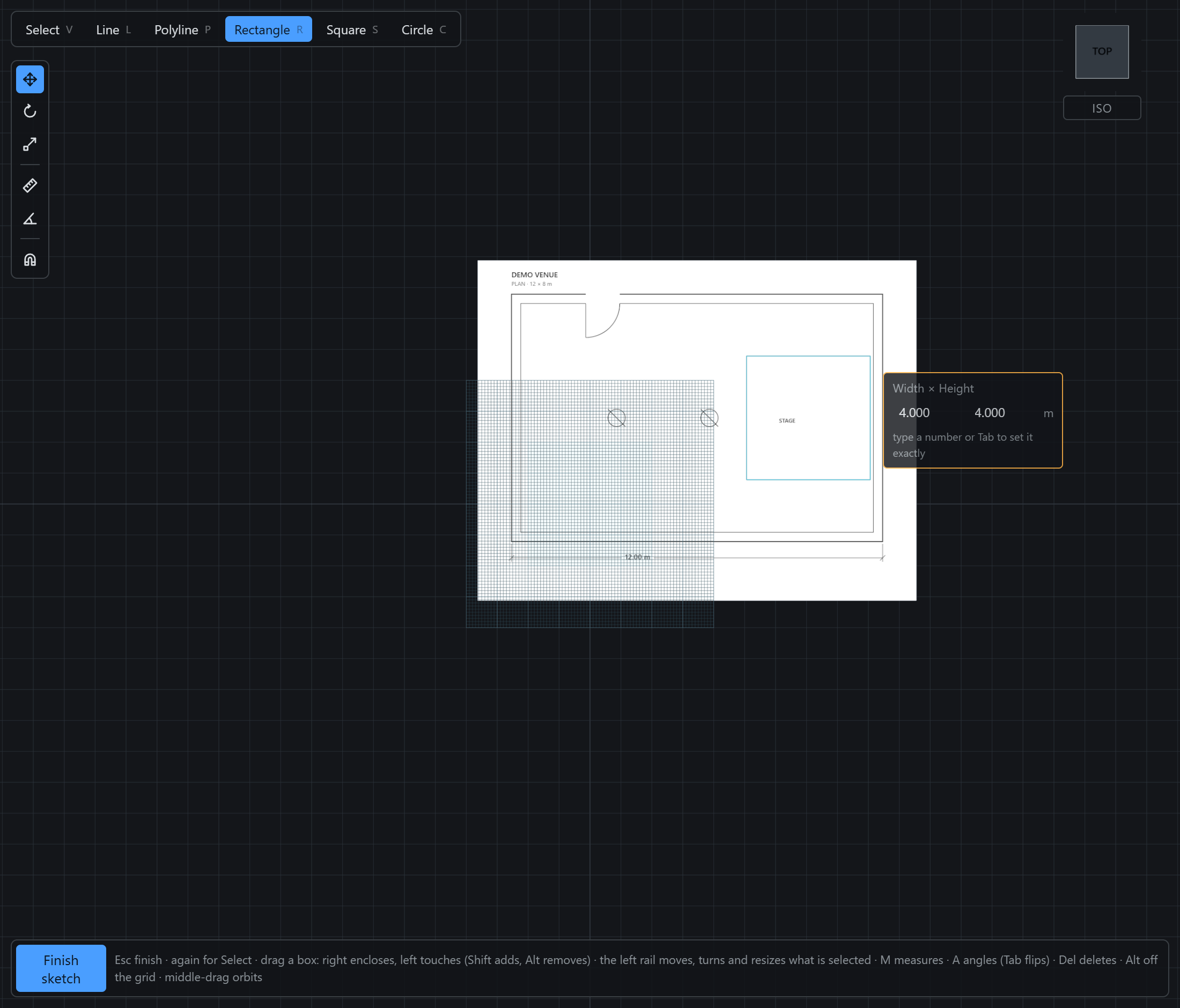
A polyline is the only tool that does not know when it is done. It ends itself when a click lands on something already drawn — that is the moment a region closes — and clicking its own first point again closes it into a ring. Otherwise Esc, Enter, reaching for another tool, or Finish sketch all commit it. Nothing throws a run away; Ctrl+Z is how you take one back.
To select rather than draw, put the pen down first. A tool stays armed after it finishes a shape — you rarely draw exactly one wall — so a click meant to pick something up starts another shape instead. Esc steps out one level at a time: finish the gesture, then back to Select, then leave the editor. From Select, clicking a curve selects the whole curve and Del deletes it.
Drag a box on empty plane to take several at once, and which way you drag says what you mean. Dragging rightwards takes only what is entirely inside the box, so a wall running out of it is left alone; dragging leftwards takes anything the box touches, which is how you grab a run of lines without framing all of them. It is the rule every drafting program uses, and the box changes colour to say which one you are running. Shift adds to what you hold, Alt removes. Corners and grips inside the box come with it — a point is either in or out.