3.13 Extruding a region
Extrude is the last icon on the transform rail, under move / rotate / scale / measure — it is the same kind of thing as the ruler beside it, a cursor mode you switch into and back out of. It acts on the sketch you have selected, or on the one you are drawing: pressing it mid-drawing finishes the sketch first, since choosing what to build wants the pen out of the way. It stays dark until a sketch with at least one closed region is in play, and its tooltip says which of the two is missing.
Armed, every closed region fills faintly and clicking one builds the solid there and then — there is no Create step. The panel’s Depth re-cuts every body you have made as you drag it, so the number is attached to the thing it describes rather than to a promise about it; Side puts it front, back, or half each way. Clicking a region again takes its body away, and closing the panel is just putting the tool down.
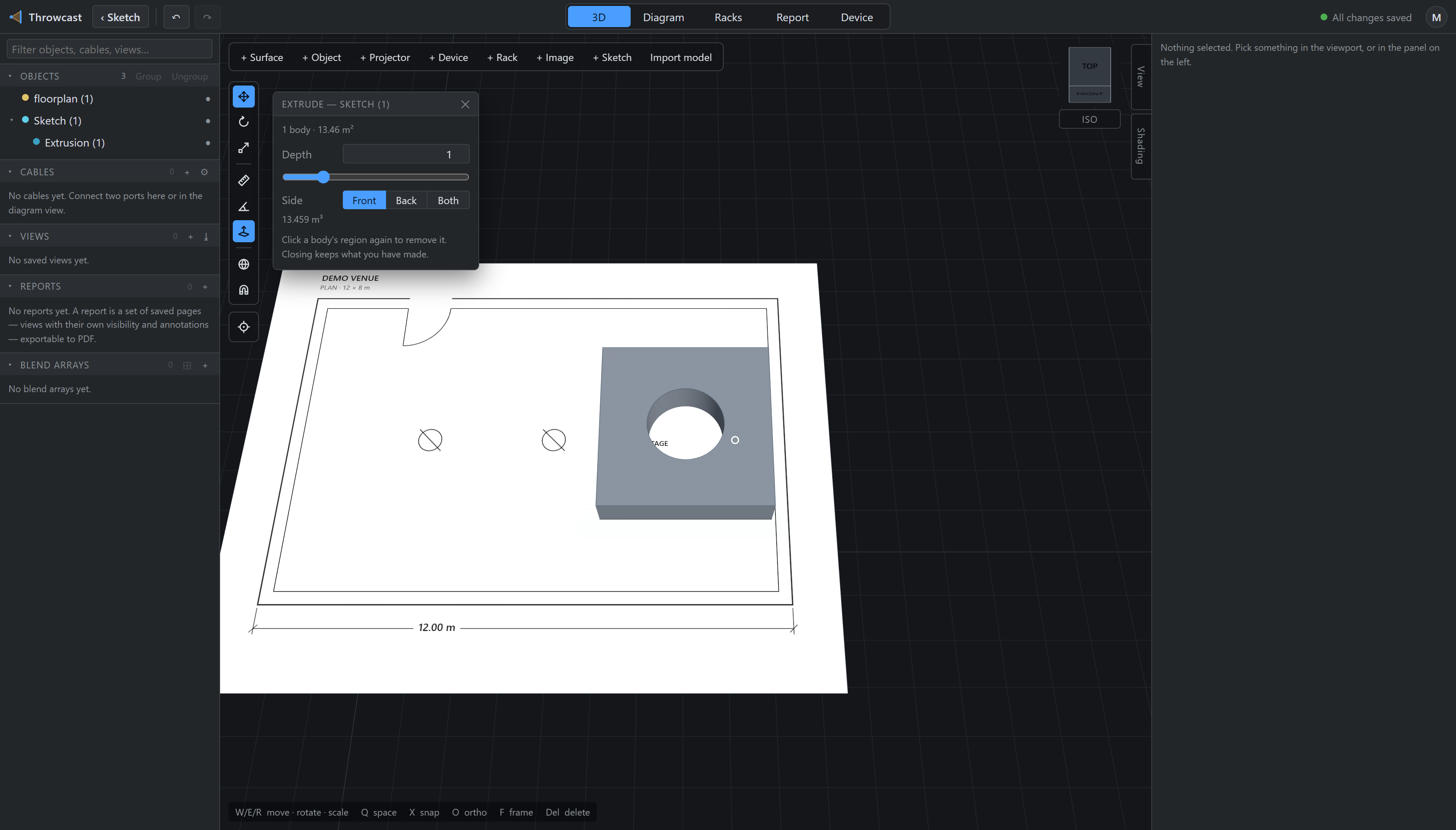
A body is live-linked to its drawing. Edit the sketch and every solid cut from it re-cuts — drag a corner and the wall follows, in one undo step. It finds its region again by a point stored inside it rather than by a list of lines, because a list of lines is orphaned by exactly the edits this feature exists to make. If the region genuinely goes away the body draws nothing and says region lost, and the inspector offers Re-pick… — it never silently vanishes and never silently bakes.
Unlike the drawing it came from, a body is ordinary scenery: lit, occluding and measurable, light-tight with no opt-out. It carries no scale, because its outline is its sketch’s and its thickness is the depth you set — a scale would pull the solid off the drawing it is supposed to be.
Deleting a sketch deletes its bodies, since they are its children; one Ctrl+Z brings the lot back. To get the drawing out of the way without that, set Linework to Hidden — a different control from the eye in the object tree on purpose. The eye hides the whole assembly, bodies included; this hides the pencil and keeps the wall. A finished sketch shows only its lines anyway: the plane and the fills are working apparatus, and they come back when you select it.