9.3 Building a run
Everything past that first 3 m stretch is built with two gestures, both on Alt: Alt-click puts a new point on the run, and Alt-drag grows a new stretch out of a point. There is no draw mode to enter and no tool to pick up — select the tray and hold Alt.
Alt-click — a new point. With the tray selected, hold Alt and move the pointer along the channel: the centreline lights up and a translucent ghost point slides along it under your cursor, showing exactly where the point will land. Click to place it. The gizmo steps aside while Alt is down so it cannot swallow the click, and the new point arrives selected with the gizmo already on it — so the very next drag bends the run there.
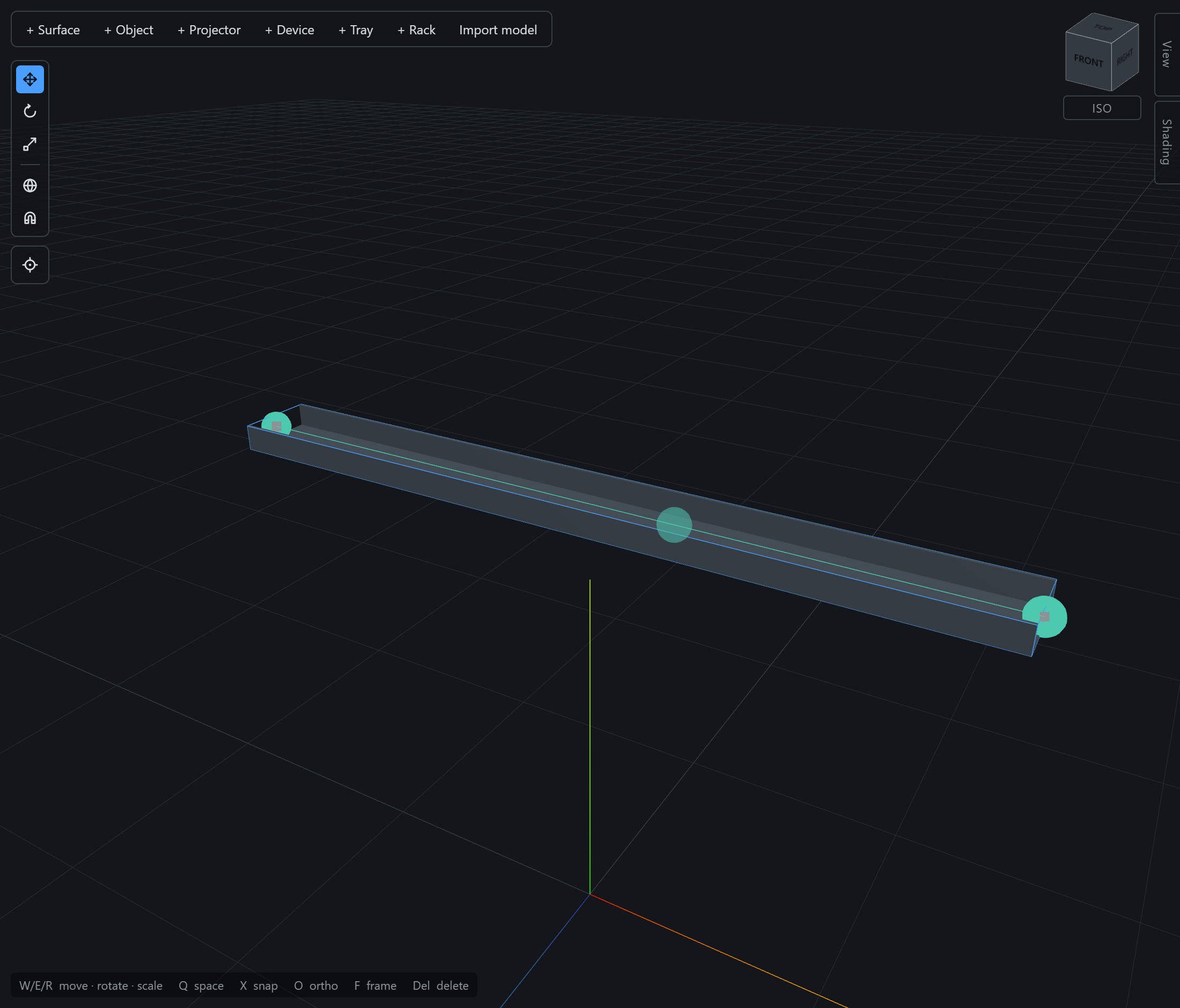
Alt-drag — a new stretch. With a point selected, hold Alt and drag its gizmo. The point you started from stays put; a fresh point is minted under the drag and a new stretch grows between them, so you are pulling steel out of the network rather than moving it. Release to set the length. The gesture works from any point: from a free end it extends the run, and from a point in the middle it makes a tee — the mid point becomes a junction and shows green.
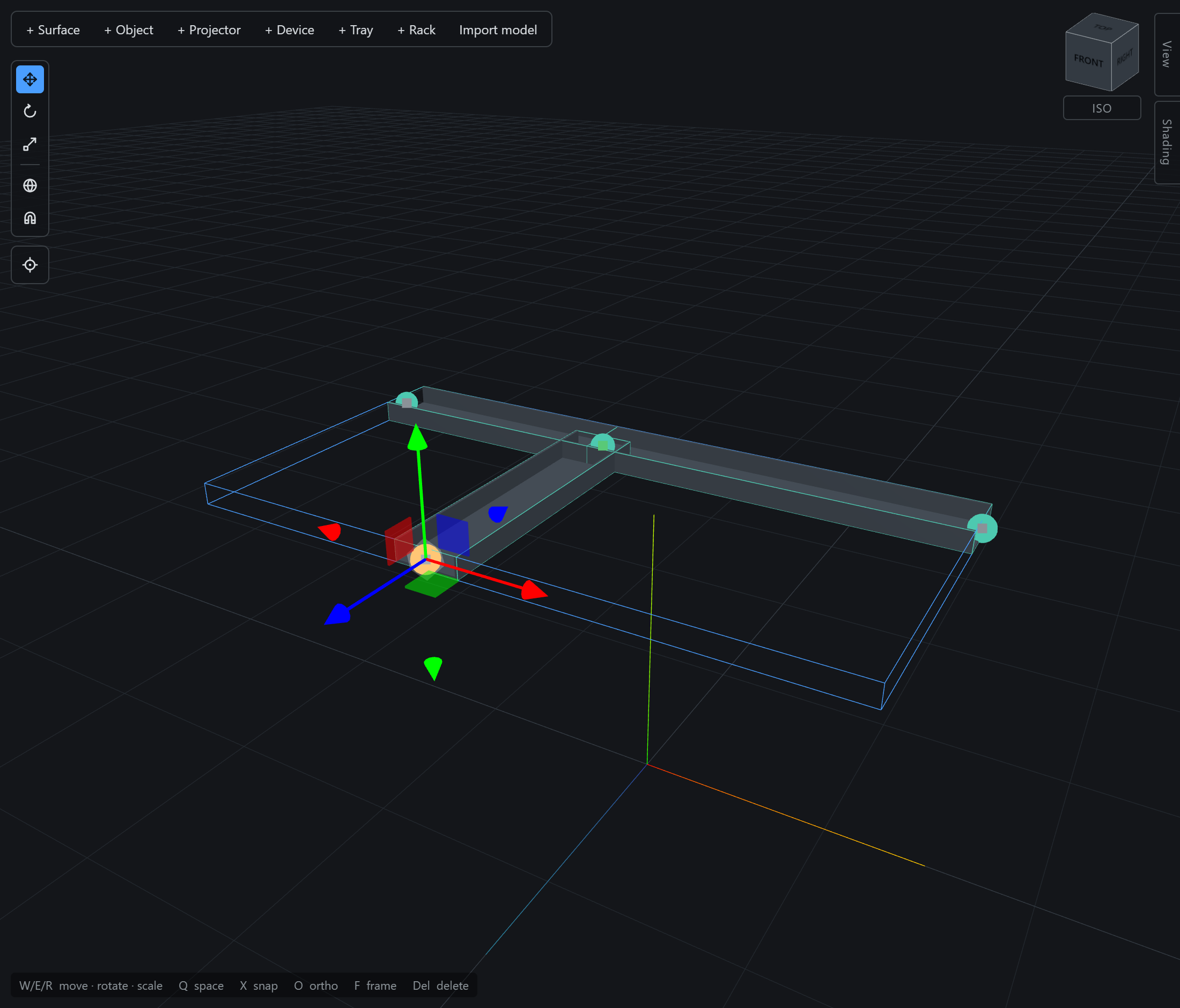
Nothing about the gesture is horizontal. Drag the green axis instead and the same branch climbs — a riser to a tray at ceiling height, or a drop to a rack, is the same Alt-drag on a different axis.
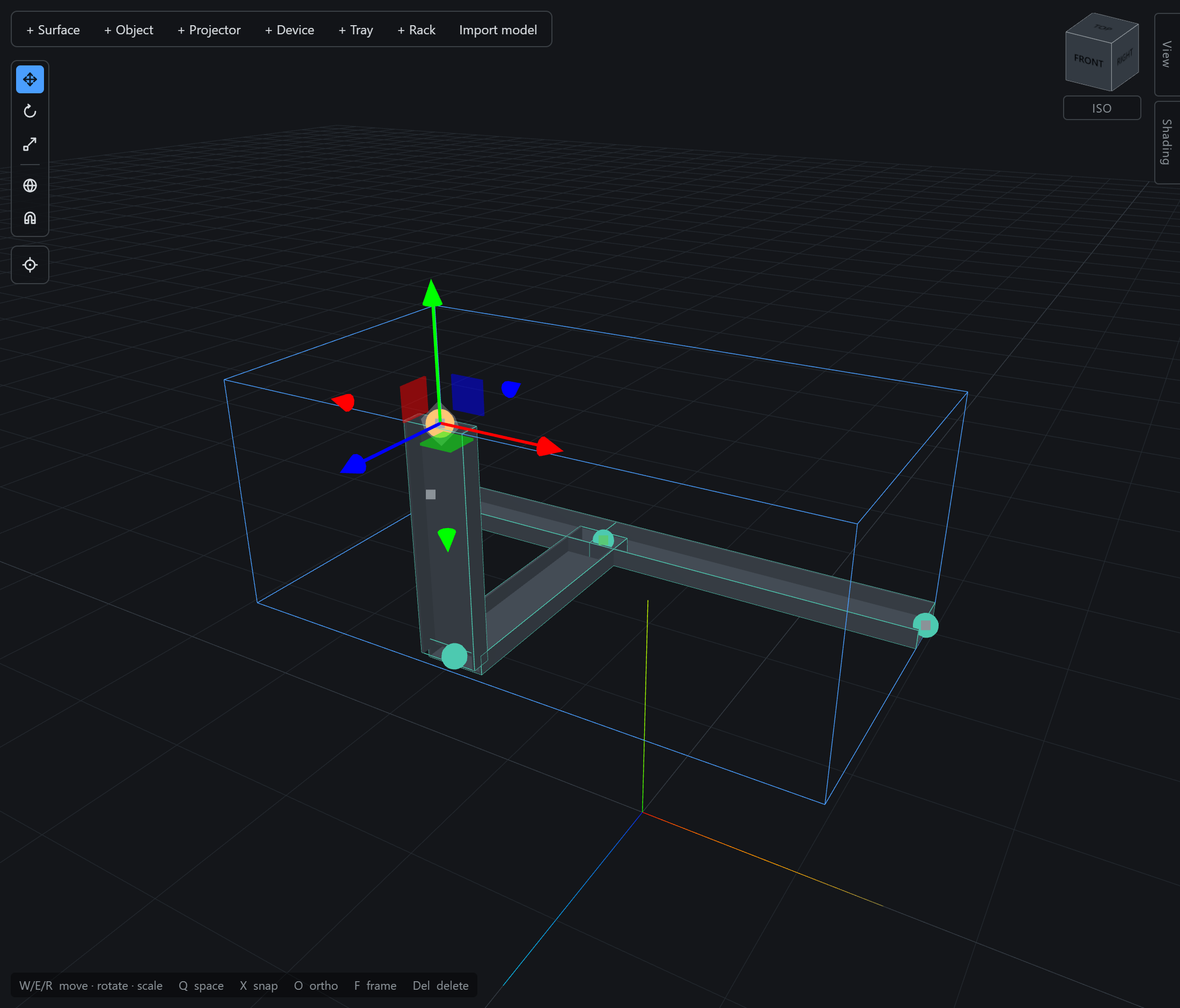
The two never compete: with a point held, Alt is the branch gesture and the centreline stays dark; with only the tray held, it is the insert gesture and the gizmo yields. So after placing a point — which leaves that point selected — press Esc once to drop back to the tray before Alt-clicking the next one.
Repeat the two gestures and a venue’s run appears: Alt-click where a branch is wanted, Alt-drag it out, drag the end where it belongs. Two refinements worth knowing as you go:
- Points within 1 cm fuse into one joint on release — and a point landing on the middle of a stretch makes a tee, splitting that stretch. This is how a branch you pull across to another run joins it, and why snapping (§9.2) matters: it makes the coincidence exact rather than nearly.
- Trays that merely cross — neither having a point on the other — stay unconnected, exactly as they would in the building.