3.14 Doors, windows and holes
A venue has openings in it, and they matter: light goes through a doorway, the wall beside it still throws a shadow, and a machine aimed through one measures its throw against the far surface rather than the one it is shooting past. + Object ▸ Cutter is how you make them.
A cutter is a body that dissolves whatever it overlaps. Push it through a wall and you have a doorway. Move it and the doorway moves; scale it and the doorway resizes; hide it and the wall closes up again.
A cut is where a thing is, so it is placed the way everything else in this app is placed — with the gizmo, against the model, by eye and by snapping — rather than by typing four numbers into a panel that owns it. Nothing is stored about what cuts what: a cutter and a wall are related by overlapping in space and by nothing else, so there is no link to go stale on a delete, an undo or a reparent.
That is also what lets one cutter open everything it touches at once: pushed into a corner it opens both walls, and sunk into the floor line it notches the floor and the wall together. A hole across two bodies is one hole, which a list of openings hung off either of them could not express at all.
It arrives 1 × 2.1 × 1 m — doorway-sized, and a metre deep so it comes out the far side of any wall it meets. Four shapes, switched in the inspector, which is all the inspector has, because everything about where lives in the transform section above it:
| Shape | For |
|---|---|
| Box | Doorways, windows, service hatches — the common case |
| Cylinder | A cable bore, a porthole, a lighting penetration |
| Cone | A splayed opening, a countersink |
| Sphere | A dished recess |
A cutter face left exactly flush with the wall it is cutting is the one case the geometry underneath handles badly. Overshoot: a body you can see makes that obvious in a way a depth field never did.
It draws as a pink ghost — a wireframe cage over a barely-there fill. The cage is what you aim by, because the thing you are positioning is an edge (the jamb of the doorway) and an edge on a solid body is exactly what you cannot see through to the wall behind. Nothing else in the scene is pink, so a cutter never reads as scenery at a glance.
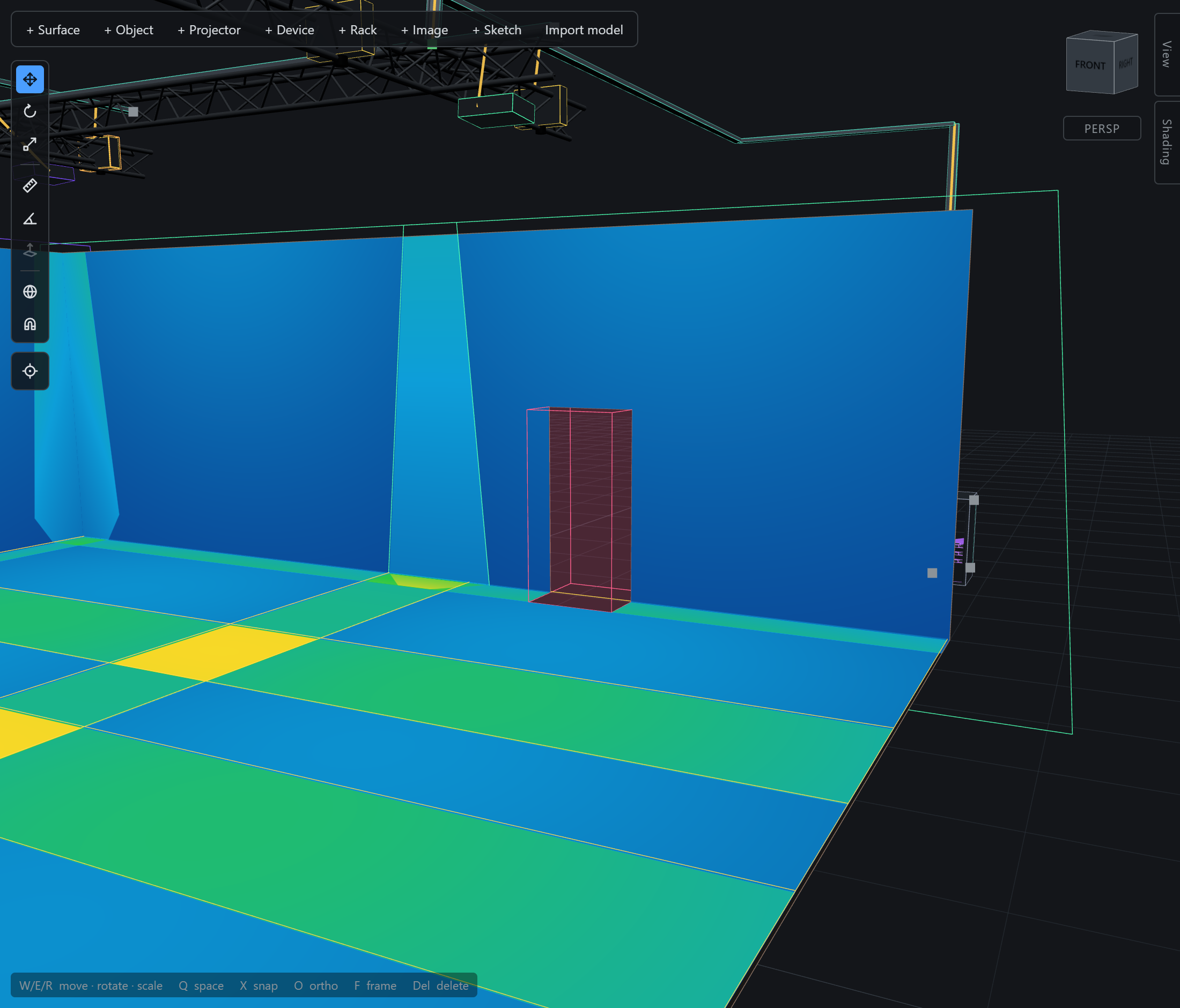
What it cuts: projection surfaces in all three shapes, room walls, the four solid objects, and extrusions. Not imported CAD models.
What it is not: part of the simulation. A cutter catches no light, casts no shadow, has no footprint and never becomes a throw distance. It is a tool standing in the venue, not a body in it.
A venue with its doorways placed is a venue full of pink boxes standing in the way of looking at it. View ▸ Cutters stops drawing them, and stops there — every opening stays exactly as it was. That is not the same as hiding a cutter with the eye in the object browser, which takes it out of the venue and closes the wall up again. (A ghost you cannot see is also one you cannot click: select it in the browser, as with anything else that is not on screen.) A report’s 3D view freezes the toggle like any other display setting, so the sheet you hand over can be of the finished room while the one you keep shows what shaped it.
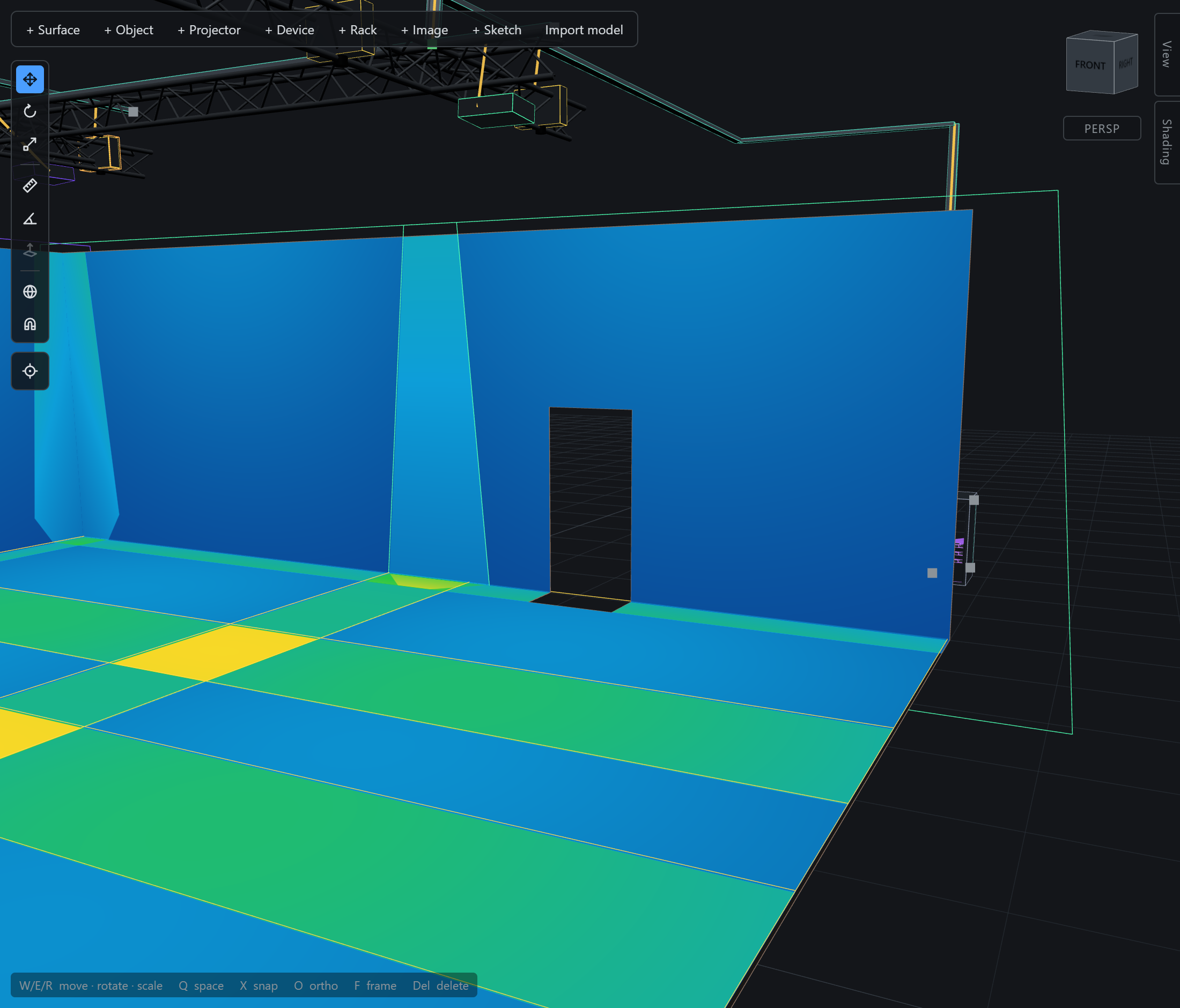
Everything else about a cut wall is unchanged, and that is the surprising part: the light, the shadows, the probe and your clicks all pass through the opening. A hole is an absence of triangles, and occlusion here is geometric rather than analytic, so the bright rectangle on the floor beyond a doorway is simply what the raycasts find. Coverage figures are the one deliberate exception — Footprint area still measures the keystone quad and does not subtract the holes the beam passes through.