2.4 The inspector
The right panel shows the thing you have focused — the last one you picked, where you have picked several. For a projector it carries the transform, the device and lens, the throw ratio and shift, a Metrics block, and a Tools block.
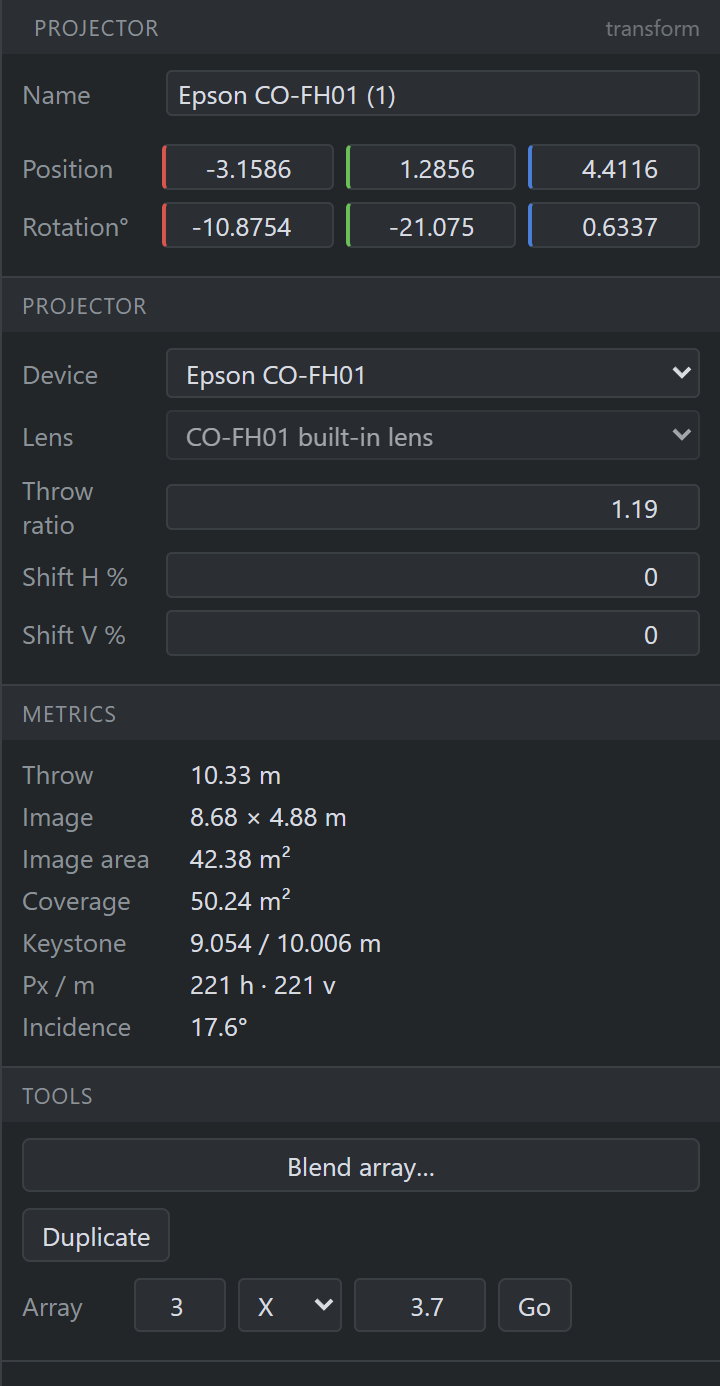
The inspector shows what is true of this machine in this room — which device, which lens, what throw ratio, what shift. It deliberately shows nothing that belongs to the model: no lumens, no body dimensions, no lens protrusion. Those live in the Device tab (Chapter 7), because changing them changes every instance.
A field edits everything you have selected
Select nine trusses, switch Section to Triangle, and all nine change. Type a Position Y and all nine hang at that height. The panel goes on showing the primary — the last one you picked — with a banded line at the top saying how many objects the next edit will reach, because the difference between editing one truss and editing nine is otherwise invisible in a panel that looks identical either way.
Two rules make that predictable:
- Only the box you typed in travels. Typing into Y moves nine trusses to that height and leaves each one where it stands along the run — the other two axes are not copied off the primary.
- How far a field reaches depends on the field. Position, rotation and scale are the vocabulary of every object, so a mixed bag of projectors and devices can be aligned to one height in one edit. Everything else reaches only objects of the primary’s own type, because Length is a stock length on a truss and a run on a cable tray.
Values are absolute, never nudges — the number you typed reads the same on everything it reached — and the whole fan-out is one Ctrl+Z. Name is the one field that never fans out.
A field the selection does not agree about reads — rather than the primary’s value: a box reading 2.00 while it writes to nine objects, six of which are 3 m, is the one lie a designer taking measurements off the panel cannot survive. Number boxes go blank with a dimmed placeholder, a segmented row lights nothing, a dropdown shows a blank entry, and a checkbox takes its indeterminate state.
Typing over the dash sets them all — including to the primary’s own value, which is exactly the case a naive “only write what changed” rule gets wrong.
A control whose result is derived from the object it lands on runs that derivation per object. Switching five screens to Cylinder conserves each screen’s own width and works its radius out of that, giving five cylinders of five sizes rather than five copies of the primary.
Cables (§8.2) and report blocks (§11.3) work the same way, over their own selections.