3.2 Objects
+ Object asks which one first. It holds everything that stands in the venue without being a screen — five shapes, under Rigging the two truss sections and cable tray, and under Cut the cutter that opens doorways in them (§3.14).
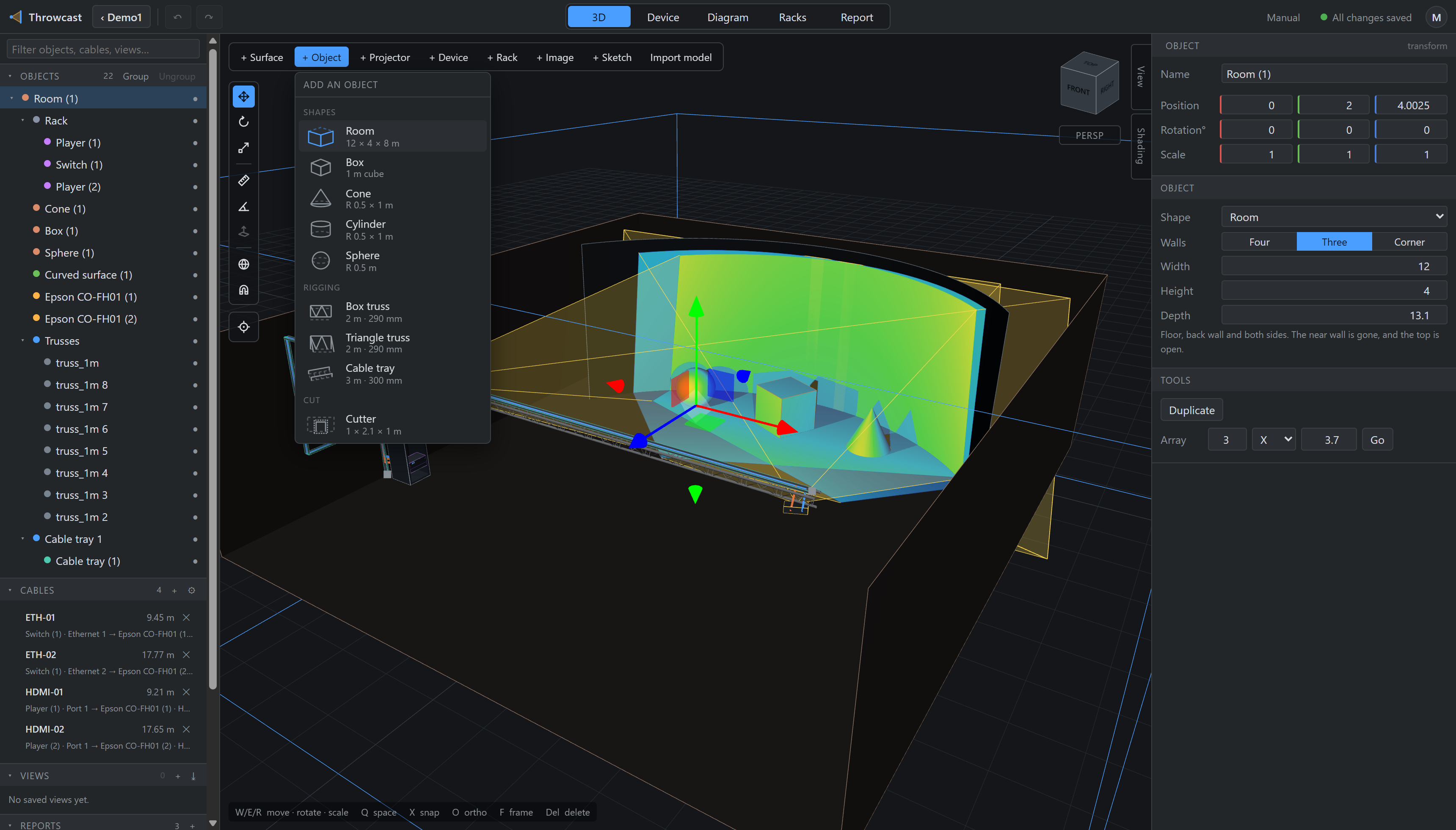
| Row | Is | Arrives as |
|---|---|---|
| Room | Floor and four walls, deliberately no ceiling | 12 × 4 × 8 m |
| Box | A plinth, a riser, a flight case | 1 m cube |
| Cone | A cone on its base | R 0.5 × 1 m |
| Cylinder | A solid column | R 0.5 × 1 m |
| Sphere | A globe | R 0.5 m |
| Box truss | Four chords in a square — the general-purpose stick | 2 m · 290 mm |
| Triangle truss | Three chords, single chord on top — how truss hangs | 2 m · 290 mm |
| Cable tray | One stretch to build a run from (§9) | 3 m · 300 mm |
| Cutter | A body that dissolves what it overlaps — a doorway, a window, a bore (§3.14) | 1 × 2.1 × 1 m |
Where a row lands differs, and it is not arbitrary. A shape arrives at the origin, because a room is what every other position in the venue is measured from and it wants a known, repeatable spot. Truss and tray arrive under whatever you are looking at: they are rigged into a venue that already exists, and the point you are orbiting around is the one place on screen the app knows you mean.
A room has no ceiling on purpose: a closed box is something you cannot see into and cannot rig above. Open at the top, a normal orbit looks straight down into it and a rig hung over it lights in.
Every object is a projection target, an occluder and a measurable body from the moment it exists. Aim a projector at a box and the Metrics panel reads throw distance and image size off whichever face the beam lands on.