5.4 Rings
A great many rigs are not walls. A cyclorama, a drum, a 360° screen: the machines stand on a circle and throw outward at it, or ring a central object and throw in. Switch Shape to Circle and the same tool builds that — same spec, same undo, same everything below. Units is the count around the circle and Rows becomes tiers stacked along the axis.
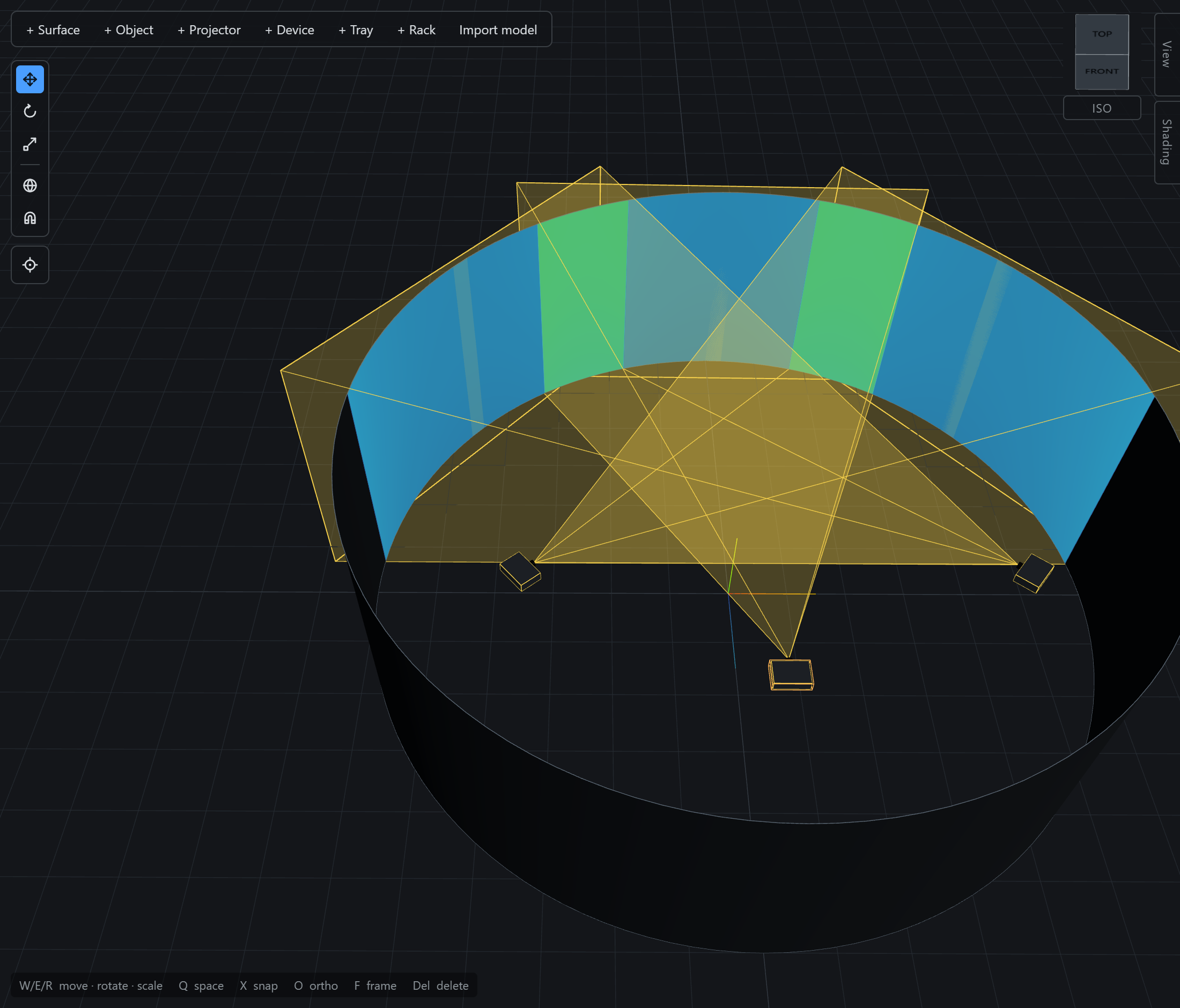
Aim one projector at the middle of the drum and press Circle: the centre is seeded where the beam actually lands, and the radius is read off as the distance the machine already stands at. Create then rings the venue without moving the projector you placed by hand. Type a different centre or radius afterwards and the whole rig re-seats — including the source, because on a ring the circle is what holds still, not the anchor.
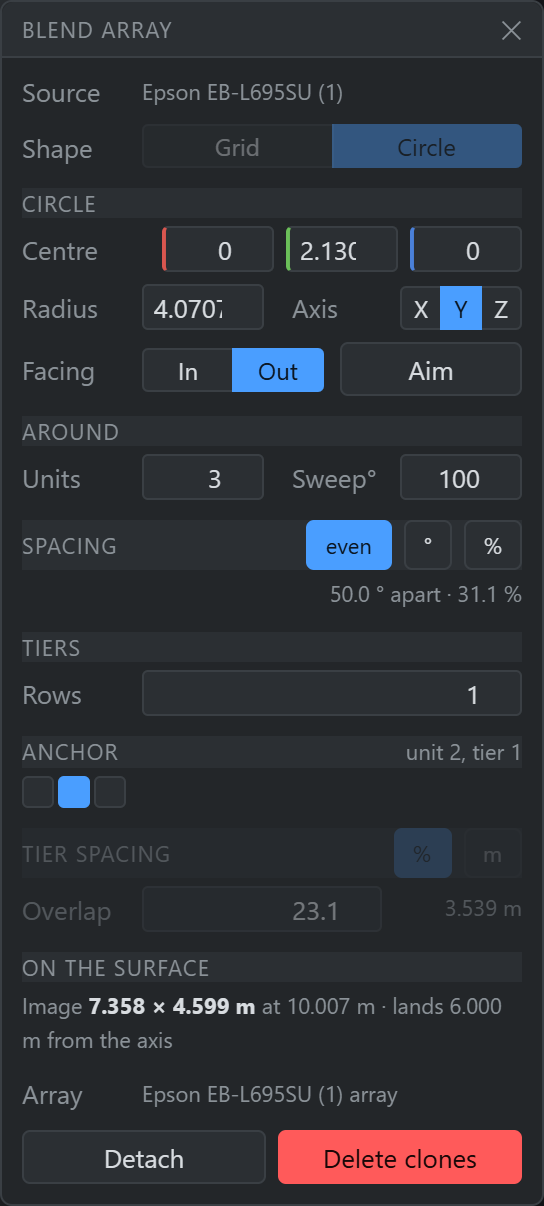
Spacing round the circle
Three ways to drive it, and the two you are not driving are live readouts:
| Mode | What it means |
|---|---|
| even | Divide the sweep by the count. A closed ring always closes — twelve units over 360° sit 30° apart. |
| ° | A typed angle between neighbours. |
| % | Solve the angle from a blend overlap, against the image the source actually makes. |
Sweep° is what you said the rig is, and Throwcast leaves it
alone. Type 25° into a twelve-unit closed ring and the panel tells you
12 × 25.0 ° covers 300.0 ° — a 60.0 ° gap against the 360 ° sweep rather than quietly
re-opening the circle behind you. Fix it by units, by angle, or by pressing
even.
An overlap is a length on the screen, so the angle that delivers it depends on how
far from the axis the image falls — which the panel reports beside the image size
(lands 6.000 m from the axis). Aim every unit straight at the axis and there is no
arc to overlap along at all: the images stack on the centre line rather than blending, the
% button greys out, and the panel says so.
Tilt, tiers and handles
- Tilt is carried round, not coned. Every unit is the source's pose swung rigidly about the axis, so a machine pitched 20° down is still pitched 20° down at the far side of the circle.
- Rows are tiers stacked along the axis, spaced by the same overlap-or-metres control a grid's rows use.
- The handles are a cross through the source: drag it to re-derive the radius and the start bearing (lift it and the whole ring rises with it), or drag an end of an open arc to re-space. A closed single-tier ring has no end to pull, so the source is its only handle and the count, sweep and radius are numbers in the panel.
- A closed ring may only lose whole tiers. Taking one unit out of a circle leaves a gap no circle describes, so you are asked to stand the rig down instead. An open arc can lose an end, exactly as a row can.
The anchor pad moves the source machine into a different slot and re-lays the rig around it — the source holds still, everybody else takes a new bearing. The ⚓ beside a member in the array inspector moves the role to another machine and nothing moves at all. Both leave the venue looking the same on a closed ring; what they change is which machine the rig is measured from next time.